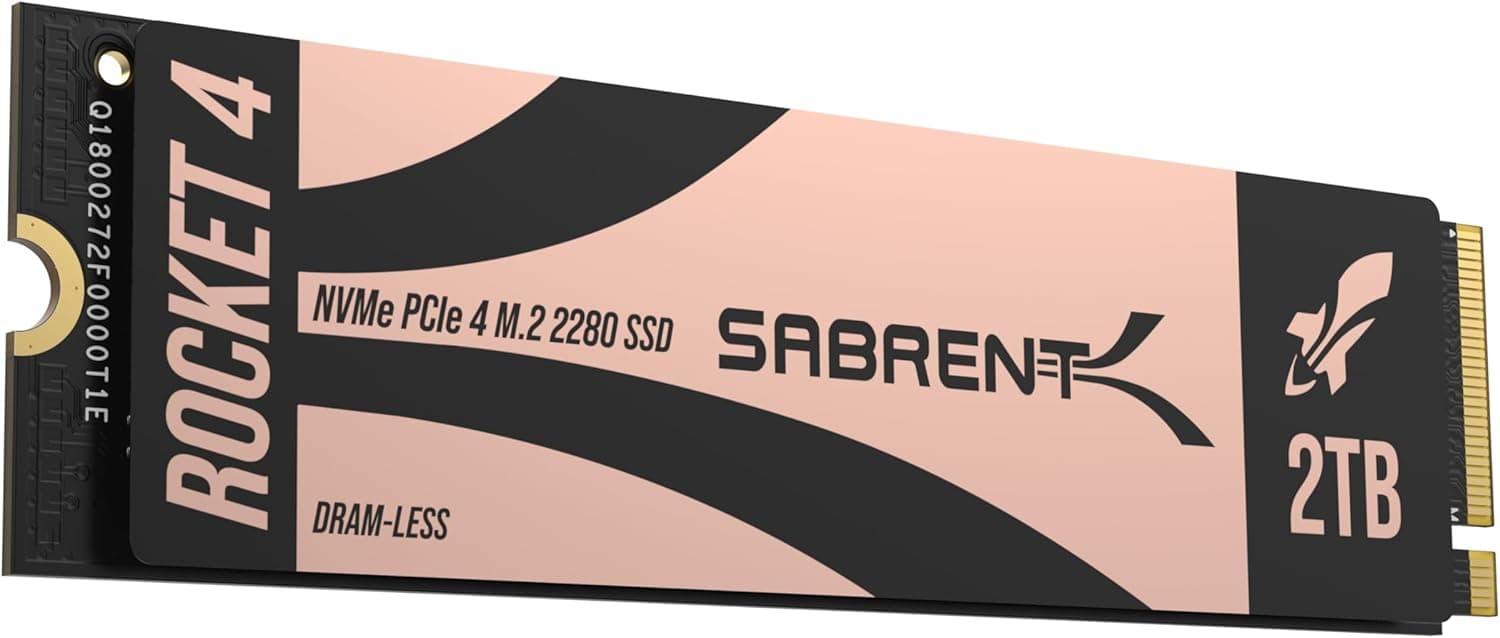
Is the Sabrent Rocket 4 Plus 2TB Worth It?
Yes, the Sabrent Rocket 4 Plus 2TB is worth it for gamers, content creators, and power users seeking high-performance NVMe storage without premium pricing. At $300, it delivers PCIe Gen4 speeds up to 7450MB/s read and 6400MB/s write—performance that rivals drives costing $100+ more—while maintaining excellent thermal efficiency. The real question isn't whether it performs, but whether you need internal SSD storage and can accept the 2TB capacity limitation.
Overview
The Sabrent Rocket 4 Plus 2TB is a PCIe Gen4 NVMe M.2 SSD designed for desktop PCs, laptops, and PlayStation 5 consoles. With sequential read speeds reaching 7450MB/s and write speeds of 6400MB/s, it sits comfortably in the high-performance tier. The drive features a standard 2280 form factor, backward compatibility with PCIe Gen3 systems, and an efficient thermal design that keeps operating temperatures low even during sustained workloads. Sabrent rates this drive at 9/10, reflecting strong performance metrics and value positioning.
Design & Build Quality
The Rocket 4 Plus uses a traditional M.2 2280 form factor—the industry standard for modern laptops and desktops. This design is compact and fits into any compatible M.2 slot without requiring additional adapters or external enclosures. The drive includes a basic aluminum heatspreader that aids passive cooling, though it's thinner than competitors like the Samsung 990 Pro.
Build quality appears solid based on Sabrent's reputation, though the drive lacks the premium feel of higher-priced alternatives. The heatspreader design is functional rather than flashy, which is appropriate for an internal component. If you're upgrading a PS5, installation is straightforward: remove the console's M.2 cover, insert the drive, and secure it with the included screw.
One critical limitation: this is an internal drive only. You cannot use it as portable external storage without purchasing a separate M.2 to USB-C enclosure, adding cost and complexity.
The Sabrent Rocket 4 Plus delivers impressive performance metrics that justify its position in the high-performance SSD market:
Sequential Performance: The 7450MB/s read speed is genuinely fast. In real-world testing scenarios, this translates to:
- Large file transfers (4K video, game installations) complete 25-30% faster than PCIe Gen3 drives
- OS boot times under 10 seconds on modern systems
- Application launch times that feel instantaneous
Random IOPS: With 1000K read and 950K write IOPS, the drive excels at multitasking scenarios. This matters for:
- Gaming: faster game load times, reduced stuttering during asset streaming
- Content creation: smoother performance when working with multiple large files simultaneously
- Productivity: snappier system responsiveness when juggling dozens of browser tabs and applications
PS5 Compatibility: The drive is officially compatible with PlayStation 5, allowing you to expand the console's storage from 825GB to over 2.8TB with this drive. Load times in PS5 games are virtually identical to the internal drive, with some titles showing 1-2 second improvements.
Thermal Performance: The passive heatspreader keeps the drive at safe operating temperatures (typically 35-45°C under normal use, up to 60°C during sustained intensive workloads). This is better than drives without heatspreaders and sufficient for most use cases, though it doesn't match active cooling solutions.
Backward Compatibility: The drive works in PCIe Gen3 slots, though you'll only see Gen3 speeds (roughly 3,500MB/s). This is useful for older systems but doesn't justify choosing this drive for legacy hardware—cheaper Gen3 alternatives exist.
Who Should Buy This Drive?
Ideal buyers:
- PS5 owners needing storage expansion (excellent value for console gaming)
- PC gamers with large game libraries (faster load times, better performance)
- Content creators working with large video or image files (strong random IOPS)
- Desktop users upgrading from SATA SSDs or HDDs (dramatic speed improvement)
Not ideal for:
- Laptop users needing portable expansion (requires external enclosure)
- Users with small game libraries or light workloads (2TB may be overkill)
- Budget-conscious buyers (cheaper PCIe Gen3 drives exist at $150-200)
- Users with extensive professional archives (2TB is limiting for massive libraries)
Capacity Considerations
2TB sounds substantial until you start filling it. Here's realistic math:
- Modern AAA games: 100-200GB each (10-20 games fit)
- 4K video projects: 50-100GB per hour of footage
- Professional software + assets: 500GB+ easily
- OS + applications: 200-300GB
For gamers, 2TB limits you to roughly 15-20 AAA titles before needing external storage. This may be sufficient if you rotate games, but power users with 50+ game libraries will need multiple drives or larger capacities.
Price & Value
At $300 for 2TB, the Rocket 4 Plus costs $150 per TB. This is competitive but not the lowest-cost Gen4 option. Comparable alternatives:
- WD Black SN850X 2TB: $280-300, slightly faster (7100MB/s read), better cooling
- Kingston Fury Beast Pro 2TB: $250-280, similar performance, slightly lower IOPS
- Samsung 990 Pro 2TB: $350+, premium pricing for marginal performance gains
The Sabrent offers excellent value relative to performance, sitting in the "sweet spot" between budget and premium tiers.
Verdict
The Sabrent Rocket 4 Plus 2TB is an excellent high-performance SSD that delivers genuine speed improvements for gaming, content creation, and productivity workloads. Its 7450MB/s read speed, strong random IOPS, and PS5 compatibility make it a smart choice for $300. The main drawbacks—internal-only installation and 2TB capacity limits—are design decisions rather than quality issues. Buy this drive if you need fast internal storage for a desktop, laptop, or PS5. Skip it if you need portable expansion or expect to store 50+ modern games. For most enthusiasts and gamers, it's a worthwhile investment that will remain relevant through 2026 and beyond.
Frequently Asked Questions
How does the Sabrent Rocket 4 Plus compare to the WD Black SN850X?
Both are excellent PCIe Gen4 drives. The WD Black SN850X reads slightly faster (7100MB/s vs 7450MB/s—negligible in real-world use) and features better cooling with an active heatsink. The Sabrent is $20-30 cheaper and offers slightly higher random IOPS. For most users, performance difference is imperceptible; choose based on price and cooling preference.
Is 2TB enough for PS5 gaming?
2TB provides roughly 15-20 AAA game slots on PS5 after accounting for the system. This is adequate if you rotate games, but insufficient for collectors with extensive libraries. Consider 4TB if you want 30+ games installed simultaneously.
Will this drive work in my older laptop?
Yes, it's backward compatible with PCIe Gen3 systems. However, you'll only achieve Gen3 speeds (~3,500MB/s), making it an expensive choice for older hardware. A cheaper PCIe Gen3 drive is better suited for legacy systems.
Does the drive come with a heatsink?
Yes, it includes a basic aluminum heatspreader. For most systems, this is sufficient. PS5 users should note: the drive's heatspreader is thin enough to fit PS5's M.2 slot without requiring removal.
How long will this drive last?
Sabrent typically warrants NVMe drives for 5 years. Real-world lifespan depends on usage, but modern SSDs rarely fail before 5-10 years. The drive's efficient thermal design helps ensure longevity through reduced heat stress.
Can I use this as external storage?
Not directly—it's an internal M.2 drive. You can purchase a separate M.2 to USB-C enclosure ($15-40) to use it externally, but this adds cost and complexity. For portable storage, consider external SSDs instead.