How to Choose the Best Gaming Peripherals in 2026
Choosing the right gaming peripherals can dramatically improve your performance, comfort, and enjoyment — but with hundreds of options across keyboards, headsets, and mice, knowing what actually matters separates smart buyers from overwhelmed ones. This guide breaks down every key decision factor so you can spend confidently, whether you're building a budget setup or going all-in on premium gear.
What to Look For in Gaming Peripherals
Connection Type: Wired vs. Wireless
Wireless technology has matured to the point where it's no longer a meaningful compromise. Modern solutions like Logitech's LIGHTSPEED, Corsair SLIPSTREAM, and Razer HyperSpeed deliver sub-1ms latency that's indistinguishable from wired in competitive play. The real question is whether you want the freedom of wireless and are willing to manage charging. If you game at a fixed desk and hate cable management, wireless wins. If you travel or forget to charge devices, wired remains foolproof.
Look for dual-mode devices that offer both 2.4GHz RF (for gaming) and Bluetooth (for secondary devices like phones or tablets). The SteelSeries Arctis Nova Pro Wireless and Razer DeathAdder V3 HyperSpeed both support simultaneous or switchable dual-mode wireless — a feature that adds real-world flexibility.
Build Quality and Materials
The frame and keycap materials on a keyboard, the chassis of a mouse, and the headband construction of a headset all determine how a peripheral feels after 3 years, not just 3 days. Full CNC aluminum frames (like the Keychron Q1 Pro's) resist flex and feel premium but add weight. Brushed aluminum top plates on keyboards like the Logitech G915 X TKL offer a middle ground — premium aesthetics without extreme heft. For headsets, look for adjustable steel or aluminum headbands rather than all-plastic construction.
A keyboard's layout directly impacts your desk space and hand positioning. TKL (tenkeyless) keyboards remove the numpad to bring your mouse closer, reducing shoulder strain during long sessions. 75% layouts like the Keychron Q1 Pro go further, fitting function keys and arrow keys into a more compact footprint. Full-size keyboards suit users who rely on numpads for work or specific games.
For mice, shape matters more than almost any other spec. The Razer DeathAdder V3 HyperSpeed's ergonomic right-hand shape has been refined over two decades and suits palm and claw grips. At just 55g, it's the lightest DeathAdder ever produced — weight under 60g is the current gold standard for competitive mice.
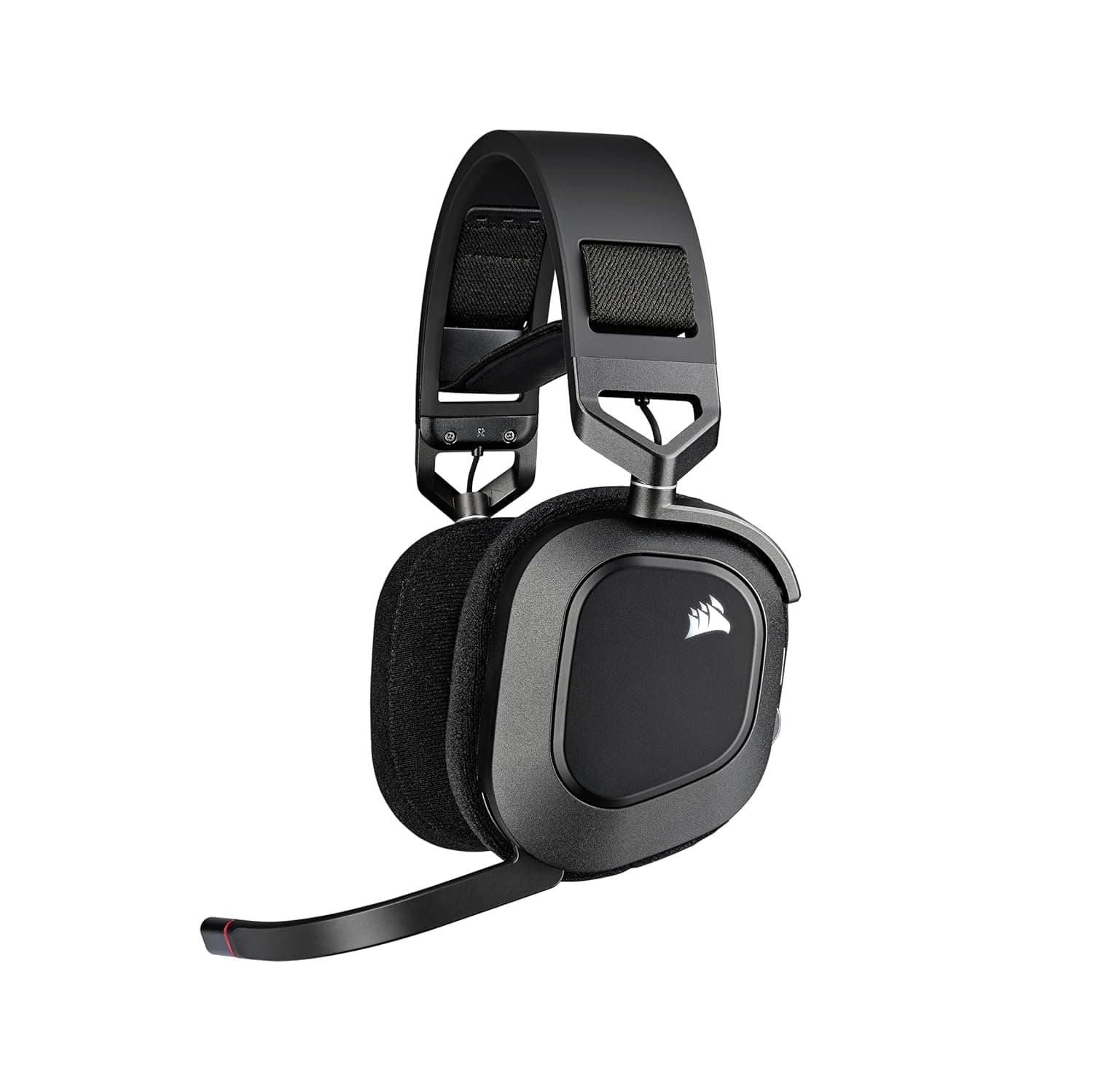
For headsets, driver size and frequency response tell part of the story. The SteelSeries Arctis Nova Pro Wireless uses 40mm Hi-Res certified drivers with a 10–40,000Hz frequency response, which extends well beyond the 20,000Hz limit of human hearing and ensures the drivers are tuned with headroom. Active Noise Cancellation (ANC) is worth prioritizing if you game in noisy environments or share spaces. Microphone quality matters enormously for streamers and team-based games — broadcast-quality mics like Corsair's on the HS80 RGB Wireless reduce background noise and deliver clearer voice pickup than standard boom mics.
Software and Programmability
Good peripheral software lets you remap keys, create macros, adjust DPI steps, and save profiles to onboard memory. QMK/VIA firmware (available on the Keychron Q1 Pro) is the open-source gold standard — it's endlessly customizable and doesn't require proprietary software running in the background. Logitech G HUB and Corsair iCUE are capable proprietary alternatives with strong feature sets. Avoid peripherals with no software support if customization matters to you.
Battery Life
For wireless peripherals, battery life determines how often you interrupt your session to charge. The Razer DeathAdder V3 HyperSpeed leads the category at up to 235 hours in Bluetooth mode — that's roughly 2–3 months of daily gaming before needing a charge. The SteelSeries Arctis Nova Pro Wireless solves battery anxiety differently with a hot-swap dual-battery system: swap in a charged battery without turning the headset off, eliminating downtime entirely. Always check if battery life specs are quoted with or without RGB lighting enabled, as RGB can cut runtime by 30–50%.
Key Specs Explained
- DPI (Dots Per Inch): Mouse sensitivity measurement. Higher isn't better — most pros use 400–1600 DPI. What matters is sensor accuracy at your preferred DPI. The Focus Pro 35K sensor in the DeathAdder V3 HyperSpeed is flawless at any DPI setting.
- Polling Rate: How often your mouse reports its position to your PC. 1000Hz (1ms) is standard; 4000Hz+ options exist for competitive players who want the absolute lowest input lag.
- Gasket Mount: A keyboard mounting style where the PCB floats on silicone gaskets, creating a softer, bouncier typing feel that reduces finger fatigue. The Keychron Q1 Pro uses this — it's noticeably more comfortable than tray-mounted boards.
- Hot-Swap: Lets you change keyboard switches without soldering. Essential if you want to experiment with different switch feels (linear, tactile, clicky) without buying a new keyboard.
- 2.4GHz vs. Bluetooth: 2.4GHz RF uses a USB dongle and delivers near-zero latency for gaming. Bluetooth is universal and dongle-free but has slightly higher latency — fine for casual use, less ideal for competitive play.
Price Ranges & What You Get
Budget ($50–$100): Entry-level wireless mice and headsets with basic sensors and plastic construction. Functional but lacking premium materials, advanced software, or long battery life.
Mid-Range ($100–$200): This is where value peaks. The Corsair HS80 RGB Wireless at $120 delivers broadcast-quality audio, Dolby Atmos spatial sound, and SLIPSTREAM wireless — features that compete with headsets costing twice as much. Most buyers should start here.
Premium ($200–$400+): Best-in-class build quality, sensors, and features. The SteelSeries Arctis Nova Pro Wireless at this tier offers ANC, Hi-Res audio, and the hot-swap battery system. The Keychron Q1 Pro delivers a full CNC aluminum chassis with QMK firmware. These are long-term investments that last 5+ years.
Enthusiast ($300+): Flagship keyboards like the Keychron Q1 Pro represent the ceiling of pre-built mechanical keyboard quality. At this level, you're paying for materials, acoustics, and customizability that budget boards simply can't match.
Our Recommendations
Best Wireless Gaming Headset: The SteelSeries Arctis Nova Pro Wireless (9/10) is the most capable wireless gaming headset available. ANC, simultaneous 2.4GHz + Bluetooth, 22-hour hot-swap batteries, and Hi-Res certified 40mm drivers make it the clear choice for serious gamers and streamers who refuse to compromise.
Best Value Gaming Headset: The Corsair HS80 RGB Wireless (8/10, $120) delivers exceptional performance per dollar. SLIPSTREAM wireless, Dolby Atmos, and a broadcast-quality mic at $120 makes it the smartest buy for most gamers.
Best Wireless Gaming Mouse: The Razer DeathAdder V3 HyperSpeed (9/10) combines a legendary ergonomic shape, a flawless 35K sensor, 55g weight, and 235-hour battery life. It's the benchmark for wireless ergonomic mice in 2026.
Best Wireless Mechanical Keyboard (Enthusiast): The Keychron Q1 Pro (9/10) is the definitive pre-built wireless mechanical keyboard. Full CNC aluminum, gasket mount, QMK/VIA, and hot-swappable switches in a 75% layout — nothing at this price competes on build quality.
Best Compact Wireless Keyboard (Mid-Range): The Logitech G915 X TKL Wireless (7/10) offers LIGHTSPEED + Bluetooth, double-shot PBT keycaps, and a slim aluminum profile. It's the right pick if you want a low-profile typing experience without the weight of a full aluminum board.
Frequently Asked Questions
Is wireless good enough for competitive gaming in 2026?
Yes. Modern 2.4GHz wireless technologies like Logitech LIGHTSPEED, Corsair SLIPSTREAM, and Razer HyperSpeed deliver latency under 1ms — identical to wired in practice. Professional esports players regularly compete with wireless mice and keyboards. The only caveat is ensuring your USB dongle is placed close to your peripherals and away from USB 3.0 interference.
What keyboard layout should a first-time buyer choose?
For most gamers, a TKL (80%) or 75% layout is ideal. Removing the numpad brings your mouse closer to your keyboard, reducing shoulder extension and improving comfort during long sessions. The Logitech G915 X TKL and Keychron Q1 Pro both use compact layouts without sacrificing function keys or arrow keys. Only choose full-size if you regularly use the numpad for work or specific game inputs.
How important is DPI when choosing a gaming mouse?
DPI is less important than sensor quality and shape. A flawless sensor like the Focus Pro 35K in the Razer DeathAdder V3 HyperSpeed tracks accurately at any DPI setting without smoothing or acceleration. Most competitive players use 400–1600 DPI regardless of the mouse's maximum rating. Focus on sensor model, weight, and ergonomic shape before chasing high DPI numbers.
Do I need active noise cancellation in a gaming headset?
ANC is a genuine quality-of-life upgrade if you game in shared spaces, near HVAC systems, or during the day in a busy household. The SteelSeries Arctis Nova Pro Wireless includes effective ANC that reduces ambient noise without significantly affecting audio quality. If you game in a quiet room with the door closed, ANC is a nice-to-have rather than essential.
What's the difference between QMK/VIA and proprietary keyboard software?
QMK/VIA is open-source firmware that runs on the keyboard itself, allowing deep remapping, macros, and layer customization without any background software. It's more powerful and privacy-friendly than proprietary options. Logitech G HUB and Corsair iCUE are polished proprietary alternatives with good feature sets but require software installation and cloud accounts. For enthusiasts who want maximum control, QMK (available on the Keychron Q1 Pro) is the gold standard.