How to Choose the Best Graphics Card: Complete GPU Buying Guide
From budget 1080p cards to flagship 4K monsters, this guide explains every GPU spec that matters and matches you to the right graphics card for your budget.
S
Spektova Editorial
From budget 1080p cards to flagship 4K monsters, this guide explains every GPU spec that matters and matches you to the right graphics card for your budget.
Buying a new graphics card can feel overwhelming. With dozens of models across two major manufacturers, confusing spec sheets, and prices ranging from under $300 to over $1,600, it's easy to overspend — or underbuy. This guide cuts through the noise and explains exactly what matters so you can make a confident, informed decision.
Your Target Resolution and Refresh Rate Before anything else, know what you're gaming at. Are you running a 1080p 60Hz monitor, a 1440p 165Hz display, or a 4K screen? This single factor should drive your entire GPU decision. Spending $1,600 on a flagship card for a 1080p monitor is wasteful; buying a budget card for a 4K panel will leave you frustrated.
VRAM (Video RAM) VRAM is the dedicated memory your GPU uses to store textures, frame buffers, and game assets. Modern AAA titles at high settings are increasingly demanding 10GB or more. As a rule of thumb: 8GB is acceptable for 1080p today but may feel limiting in 2–3 years; 12GB is a comfortable sweet spot for 1440p; 16GB+ or 24GB is ideal for 4K, content creation, and future-proofing.
Power Consumption (TDP) Every GPU has a Thermal Design Power rating — the amount of power it draws under load. This matters for two reasons: your power supply unit (PSU) must handle the load, and your electricity bill will reflect sustained usage. A 160W card is vastly different from a 450W card in both PSU requirements and long-term running costs.
Ray Tracing and Upscaling Technology Ray tracing delivers cinematic lighting effects but is demanding. NVIDIA's Ada Lovelace architecture currently leads in ray tracing performance. Both NVIDIA (DLSS 3) and AMD (FSR 3) offer AI-assisted upscaling to boost frame rates, but NVIDIA's Frame Generation technology provides a more significant uplift in supported titles.
Connectivity and Display Outputs Most modern GPUs include HDMI 2.1 and DisplayPort 1.4a or 2.1. If you're running multiple monitors or a high-refresh 4K display, check that your card's outputs match your setup.
CUDA Cores / Stream Processors These are the parallel processing units inside the GPU. More cores generally mean more raw performance, but architecture matters enormously — a newer-generation card with fewer cores can easily outperform an older card with more. Don't compare core counts across different GPU generations or between NVIDIA and AMD.
Memory Bus Width The memory bus is the highway between the GPU and its VRAM. A 128-bit bus (found on budget cards like the RTX 4060 Ti and RX 7600) is narrower and can bottleneck bandwidth-heavy workloads. A 192-bit or 384-bit bus allows much faster data throughput, which is why high-end cards handle 4K textures so much better.
Architecture NVIDIA's current Ada Lovelace generation and AMD's RDNA 3 architecture represent the latest efficiency and performance improvements. Newer architectures typically deliver better performance-per-watt and support the latest features like AV1 encoding, hardware ray tracing, and AI acceleration.
Recommended PSU Wattage Always check the manufacturer's recommended PSU. The RTX 4090 demands an 850W+ PSU, while the RX 7600 only needs 550W. Factor in your CPU and other components — a good rule is to add 100–150W of headroom above your total system draw.
Budget (Under $300): Entry-Level 1080p Gaming The AMD Radeon RX 7600 sits comfortably in this tier. At under $270, it delivers solid 1080p performance with low power draw and a compact design. It's ideal for casual gamers or those upgrading from a very old card. Expect smooth gameplay at 1080p medium-to-high settings, but don't push it to 1440p at maximum detail.
Mid-Range ($400–$550): The Sweet Spot This is where most buyers should focus. The NVIDIA GeForce RTX 4060 Ti at around $400 offers excellent 1080p and capable 1440p performance with an impressively low 160W TDP. It supports DLSS 3 Frame Generation and fits in compact cases. For a meaningful step up, the RTX 4070 SUPER at around $600 enters this conversation — delivering near-flagship 1440p performance with 12GB of fast GDDR6X memory.
High-End ($600–$1,000): Serious 1440p and Entry 4K The RTX 4070 SUPER at around $599 is the standout here. With 7168 CUDA cores, a 192-bit memory bus, and 12GB GDDR6X VRAM, it handles 1440p effortlessly and even punches into 4K territory with DLSS enabled. For AMD fans, the RX 7900 XTX offers exceptional 4K rasterization with a massive 24GB GDDR6 frame buffer at a more competitive price than NVIDIA's equivalent tier.
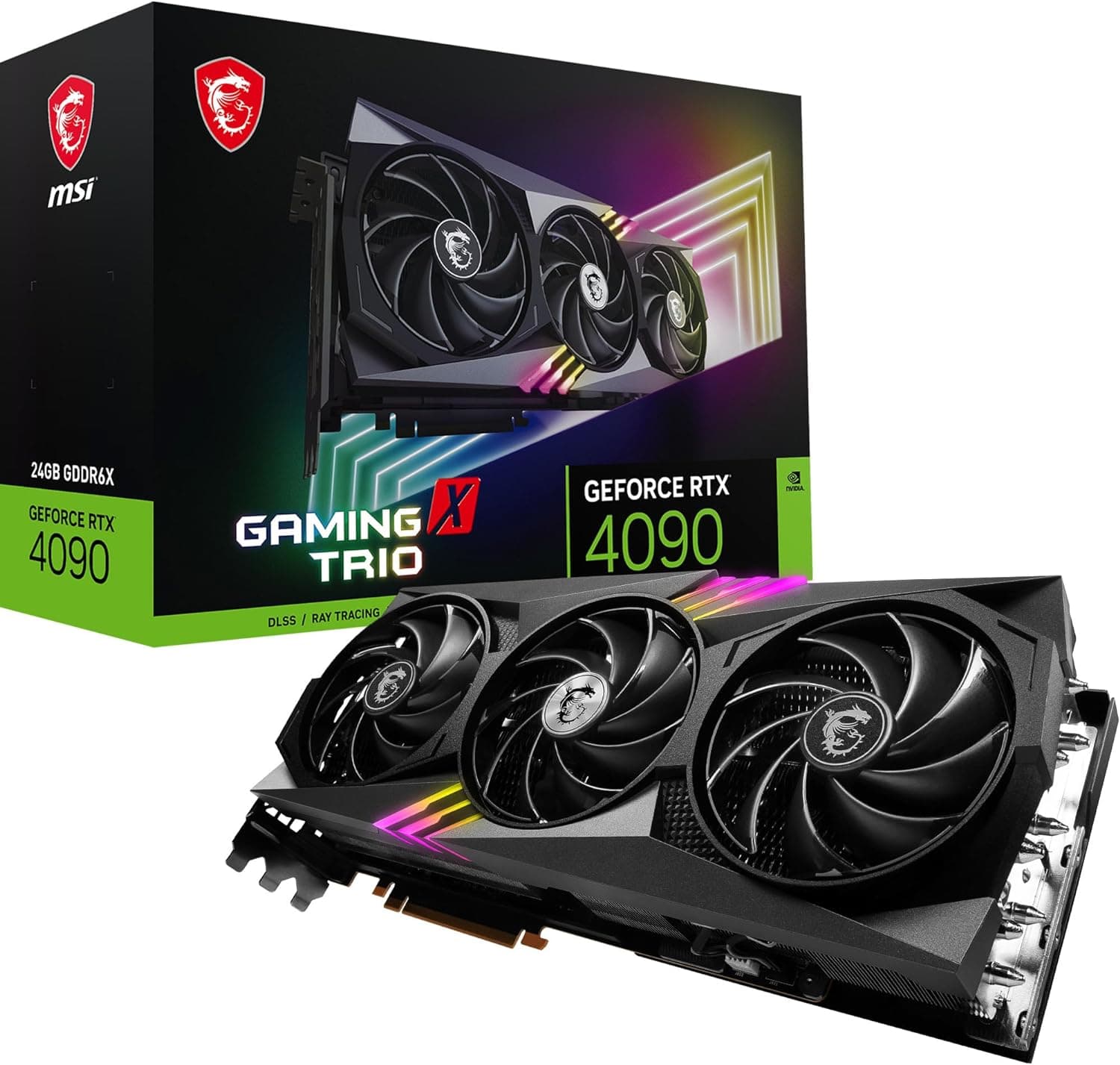
Flagship ($1,000+): Uncompromising 4K Performance The NVIDIA GeForce RTX 4090 is in a class of its own. At over $1,600, it's not for everyone — but if you demand maximum 4K performance, run AI/ML workloads, or create professional content, nothing else comes close. Its 24GB GDDR6X VRAM and 16,384 CUDA cores are genuinely future-proof, though you'll need a premium PSU and a large case to accommodate it.
Best for Budget 1080p Gaming: AMD Radeon RX 7600 8GB If your budget is tight and you game at 1080p, the RX 7600 is a smart, no-nonsense choice. Its 165W TDP keeps power bills low, and its compact dual-slot design fits virtually any case. Just keep expectations realistic — 1440p at ultra settings will push its limits, and the 128-bit memory bus is a long-term constraint.
Best Mid-Range Pick: NVIDIA GeForce RTX 4060 Ti 8GB For gamers who want strong 1080p and decent 1440p performance without breaking the bank, the RTX 4060 Ti is hard to beat. Its 160W power draw is exceptional for its performance class, and DLSS 3 support gives it legs in supported titles. The 8GB VRAM is a genuine concern for longevity, so if you plan to keep this card for 4+ years, consider stepping up.
Best All-Around Value: NVIDIA GeForce RTX 4070 SUPER 12GB This is our top pick for most buyers. The RTX 4070 SUPER hits the ideal intersection of price, performance, and efficiency. The 12GB GDDR6X VRAM with a 192-bit bus ensures you won't be VRAM-starved at 1440p, and DLSS 3 Frame Generation makes it punch above its weight in supported games. At 220W, it's also remarkably efficient for its performance tier.
Best for 4K on a (Relative) Budget: AMD Radeon RX 7900 XTX 24GB If you want 4K gaming without paying RTX 4090 prices, the RX 7900 XTX is a compelling alternative. Its 24GB GDDR6 VRAM and wide 384-bit bus handle 4K textures with ease, and its rasterization performance is genuinely excellent. The trade-offs are weaker ray tracing versus NVIDIA and a 355W power draw — but for pure rasterized 4K gaming, it's outstanding value.
Best for No-Compromise Performance: NVIDIA GeForce RTX 4090 24GB The RTX 4090 earns its perfect score by being definitively the best consumer GPU available. If you have the budget, a capable PSU, and a large case, it will max out any game at 4K and still have headroom to spare. It's also a serious tool for AI researchers, video editors, and 3D artists. Just be prepared for the price — and the electricity draw.
Get the best deals and reviews in your inbox.
We respect your privacy. Unsubscribe anytime.
 Comparison
The RTX 4070 SUPER leads as the best all-round pick at $580, while the 4060 Ti suits budget 1080p builds and the 4090 dominates 4K at a steep $1,600 premium.
Top listFrom the RTX 4090's unmatched 4K dominance to budget-friendly 1080p options, here are the best GPUs you can buy in 2026 across every price point.
ComparisonThe RTX 4090 dominates in raw performance, the RTX 4080 Super offers balanced value, and the RX 7900 XTX delivers competitive 4K gaming at a lower price.
ComparisonThree mid-range GPUs battle for 1440p dominance. The RTX 4070 Super leads on features, the RX 7800 XT wins on value and VRAM, and the RTX 4060 Ti excels at efficiency.