How to Choose the Best RAM Memory: Complete Buying Guide 2026
The two most important RAM decisions in 2026: DDR4 vs. DDR5 (match your platform) and capacity (32GB is the sweet spot for most users). Get these right first.
S
Spektova Editorial
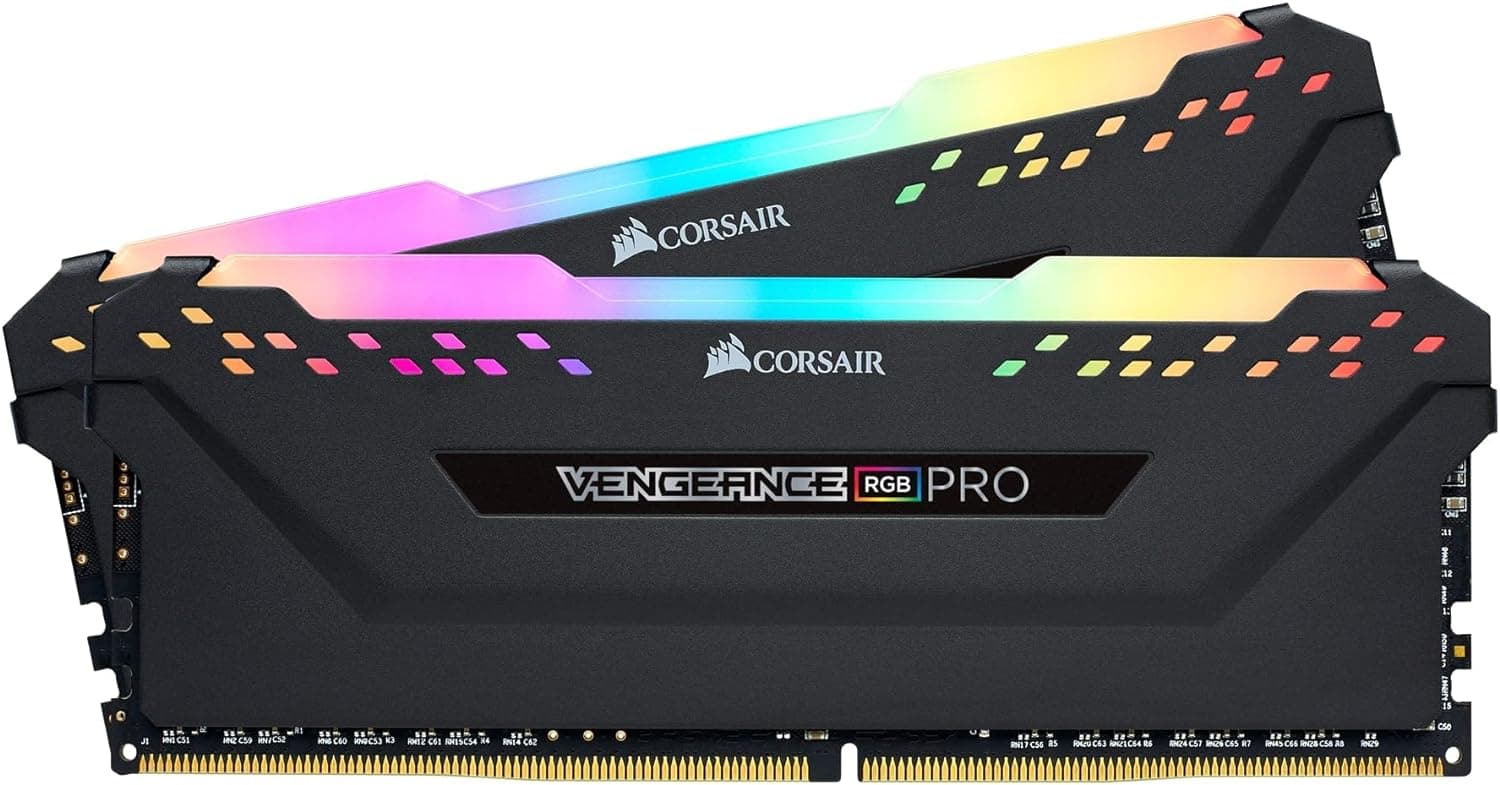
The two most important RAM decisions in 2026: DDR4 vs. DDR5 (match your platform) and capacity (32GB is the sweet spot for most users). Get these right first.
Choosing the right RAM in 2026 comes down to two critical decisions: DDR4 vs. DDR5, and how much capacity you actually need. Get these two factors right and everything else — speed, latency, RGB — becomes much easier to navigate.
This is the fork in the road that determines everything else. DDR4 is the mature, affordable, widely compatible standard. DDR5 is the newer generation offering higher speeds and better future-proofing — but at a meaningful price premium.
If you're building or upgrading a system on an Intel 12th/13th/14th Gen or AMD Ryzen 5000 platform, you're locked into DDR4. If you're on Intel Core Ultra (Series 2) or AMD Ryzen 7000/9000, you need DDR5. Always check your motherboard's compatibility before buying.
The performance gap is real but often overstated for gaming. In most gaming scenarios, DDR4-3600 vs. DDR5-5600 translates to roughly 3–8% frame rate differences. For content creation, video editing, and workstation tasks, DDR5 shows more meaningful gains.
Running two matched sticks in dual-channel mode (e.g., 2×16GB) delivers significantly more memory bandwidth than a single stick. In CPU-integrated graphics scenarios, dual-channel can improve frame rates by 20–40%. Even with a dedicated GPU, gaming benchmarks consistently show 5–15% improvements with dual-channel configurations. Always buy in matched pairs when possible.
Memory speed is measured in MHz (or MT/s), and latency is measured in CL (CAS Latency) timings. These two metrics work together — faster MHz with lower CL is ideal, but the relationship is nuanced.
For DDR4, 3200MHz CL16 is the baseline sweet spot. 3600MHz CL18 offers a better real-world performance-per-dollar ratio and is the most recommended DDR4 speed for AMD Ryzen systems specifically, as Ryzen's Infinity Fabric runs optimally at 1800MHz (half of 3600MHz).
For DDR5, 5600MHz CL40 is a common entry point. Premium kits push to 6000MHz CL30 and beyond, where the latency improvements become tangible for latency-sensitive applications.
RGB RAM looks great in a windowed case but adds cost. If you're running a closed case or a budget build, non-RGB kits offer identical performance at lower prices. If aesthetics matter, look for ecosystem compatibility — Corsair iCUE, Kingston FURY, ASUS Aura Sync, and MSI Mystic Light each require their own software for full control.
| Spec | What It Means | What to Target | |---|---|---| | DDR Generation | Memory standard (DDR4 or DDR5) | Match your motherboard | | Capacity (GB) | Total memory available | 32GB for most users | | Speed (MHz) | Data transfer rate | DDR4: 3600MHz / DDR5: 5600MHz+ | | CAS Latency (CL) | Response time in clock cycles | Lower is better relative to speed | | XMP/EXPO | Auto-overclocking profile | Enable in BIOS for rated speeds | | Voltage | Power draw | DDR4: 1.35V typical / DDR5: 1.1V base |
XMP (Intel) and EXPO (AMD) profiles are critical — without enabling these in your BIOS, your RAM will run at its default JEDEC speed, which is significantly slower than the advertised rating. The Corsair Vengeance DDR5, for example, defaults to 4000MHz without XMP/EXPO enabled, not the advertised 5600MHz.
Under $100 — Entry-Level DDR4 (16GB) At this tier, you're looking at single-stick 16GB DDR4 kits like the Kingston Fury Beast. These are solid for budget gaming builds and can be expanded later by adding a matching stick. Performance is adequate, but single-channel operation is a real limitation for bandwidth-hungry tasks.
$150–$260 — Mid-Range DDR4 (32GB) This is the best value zone for most builders. The TeamGroup T-Force Delta 32GB DDR4 at $249 delivers 32GB capacity with solid aesthetics and ecosystem RGB support. Ideal for gamers and streamers who want capacity without paying DDR5 premiums.
$300–$360 — Premium DDR4 (32GB) Kits like the Kingston Fury Renegade and Corsair Vengeance LPX 32GB 3600MHz sit here. You're paying for brand reliability, better overclocking headroom, and ecosystem integration. The performance ceiling for DDR4 is near its peak at this price point.
$400+ — DDR5 (32GB) The Corsair Vengeance DDR5 32GB 5600MHz at $425 represents the DDR5 entry point. You're paying a significant premium for future-proofing, higher bandwidth, and compatibility with next-gen platforms. Justified for new DDR5 platform builds; not worth it as an upgrade on existing DDR4 systems.
Best Overall for Most Gamers — Corsair Vengeance LPX DDR4 32GB 3600MHz The 32GB capacity, 3600MHz speed (ideal for AMD Ryzen platforms), hand-selected chips, and proven Corsair reliability make this the most well-rounded pick. The iCUE RGB ecosystem integration is a bonus for aesthetic builds. It earns a perfect 10/10 and is our top recommendation for DDR4 platform users.
Best Future-Proof Pick — Corsair Vengeance DDR5 32GB 5600MHz If you're building on a DDR5-compatible platform (Intel Core Ultra or AMD Ryzen 7000/9000), this is the kit to buy. The 5600MHz speed, XMP/EXPO support, and RGB customization justify the $425 price for new builds. Remember to enable XMP/EXPO in BIOS — it ships defaulting to 4000MHz.
Best Budget Entry Point — Kingston Fury Beast DDR4 16GB 3200MHz At $173 for 16GB, this is the smart choice for tight-budget builds. The low-profile heatsink ensures cooler compatibility, and the single-stick design means you can add a matching stick later for dual-channel performance. Just know that single-channel operation is a real trade-off today.
Best Mid-Range Value — TeamGroup T-Force Delta DDR4 32GB 3600MHz At $249, the T-Force Delta delivers 32GB with ASUS Aura Sync compatibility and effective heat dissipation. Note the spec listing discrepancy (advertised as 3600MHz but specs show 3200MHz) — verify the exact kit before purchasing. At face value, it's strong competition for pricier 32GB DDR4 kits.
Best for Content Creators on DDR4 — Kingston Fury Renegade DDR4 32GB The 32GB capacity with infrared RGB sync and low-profile design makes this a strong workstation pick. The DDR4-3200 CL16 speed is reliable if not class-leading, and Kingston's build quality is consistently dependable for professional workflows.
For gaming in 2026, 32GB is the recommended standard. Most AAA titles use 12–16GB alone, and running a game alongside streaming software, a browser, and Discord can push usage to 20GB+. 16GB remains functional for budget builds, but 32GB provides meaningful headroom and longevity.
DDR5 is worth it if you're building a new system on a DDR5-compatible platform. For existing DDR4 platform owners, upgrading to DDR5 requires a new CPU and motherboard — the total cost rarely justifies the 5–10% gaming performance gain. If you're starting fresh on Intel Core Ultra or AMD Ryzen 7000+, choose DDR5 for future-proofing.
XMP (Intel) and EXPO (AMD) are pre-configured overclocking profiles stored on your RAM stick. Without enabling them in your BIOS, your RAM runs at its default JEDEC speed — often 2133–4800MHz depending on generation — regardless of what's advertised on the box. Always enable XMP or EXPO after installing new RAM to get the speeds you paid for.
For most users, capacity matters more than speed up to a point. Going from 16GB to 32GB produces more tangible real-world improvements than going from DDR4-3200 to DDR4-3600. Once you have adequate capacity, speed and latency optimizations become relevant — particularly for AMD Ryzen systems, where 3600MHz is the sweet spot for Infinity Fabric synchronization.
Technically yes, but it's not recommended. Mixing speeds forces both sticks to run at the slower speed, and mixed kits can cause instability, boot failures, or prevent XMP/EXPO profiles from loading correctly. Always buy matched pairs from the same kit for guaranteed compatibility and optimal dual-channel performance.
Get the best deals and reviews in your inbox.
We respect your privacy. Unsubscribe anytime.