Overview
The Western Digital WD Elements 2TB is a budget-friendly portable hard drive that delivers reliable, no-frills external storage for everyday users. Yes, it's worth it if you prioritize affordability and capacity over speed—but modern SSD alternatives now offer better performance at comparable prices. At $145, the WD Elements 2TB remains a solid choice for backup storage and file archiving, though it's not ideal for video editing or gaming where speed matters.
Is This the Right Drive for You?
The WD Elements 2TB targets users who need affordable bulk storage without complexity. Its plug-and-play design requires zero driver installation, making it immediately usable on Windows PCs and Mac systems. This simplicity appeals to non-technical users, students, and anyone building a backup strategy on a tight budget.
However, if you're a content creator transferring large video files regularly or a gamer needing fast game library storage, you'll feel frustrated by the slower transfer speeds. The USB 3.0 interface maxes out around 100-130 MB/s in real-world conditions—adequate for occasional use but sluggish for frequent large file transfers compared to USB 3.2 Gen 2 drives that hit 400+ MB/s.
Design & Build Quality
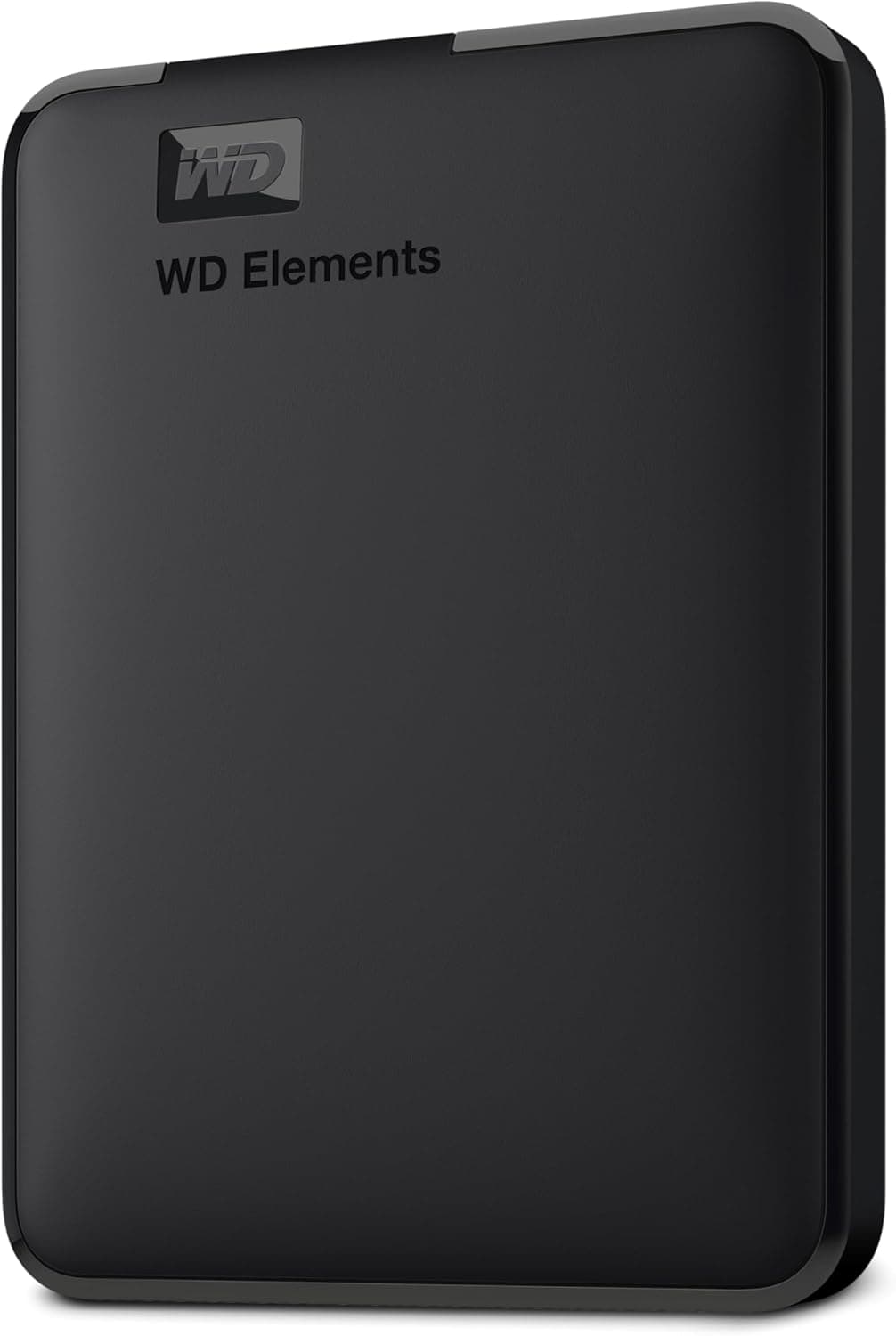
WD Elements excels in portability. The 2.5-inch form factor and lightweight plastic chassis make it genuinely pocket-friendly—comparable in size to a smartphone. It weighs just 190 grams, so tossing it in a laptop bag is effortless. The matte black finish resists fingerprints, and the compact design means it fits easily into tight spaces on crowded desks.
The build quality is adequate but not premium. The plastic casing flexes slightly under pressure, which raises durability concerns for users who frequently travel or work in harsh environments. There's no ruggedized shockproof design here—this drive expects gentle handling. The USB 3.0 cable is permanently attached, which improves portability but means you can't upgrade to a faster USB 3.2 cable if you wanted to.
The WD Elements 2TB uses traditional 5,400 RPM HDD technology, which delivers predictable but modest performance. Real-world sequential read speeds hover around 100-130 MB/s, while writes typically max out at 110-125 MB/s. For context, this means transferring a 50GB video file takes roughly 7-9 minutes—noticeably slower than a USB 3.2 SSD alternative that would complete the same task in 90-120 seconds.
Random access performance is where HDDs suffer most. If you're accessing thousands of small files or running applications directly from the drive, expect noticeable delays. The mechanical nature of spinning platters introduces latency that solid-state alternatives eliminate entirely.
Reliability-wise, WD's red drives are industry-standard in external storage. The drive includes a 2-year limited warranty, though mechanical failure remains a risk with portable HDDs due to vibration and impact exposure during travel.
Capacity & Scalability
The 2TB capacity strikes a practical balance—enough for a modest photo library, documents, and video backups without excessive cost. WD also offers this drive in 1TB, 4TB, and 6TB variants, so users with growing storage needs can scale up. The 6TB model provides exceptional value per gigabyte compared to 2TB, though it increases physical size and weight slightly.
Verdict
The WD Elements 2TB is a competent budget portable drive that delivers what it promises: affordable, hassle-free external storage. Its plug-and-play compatibility, compact design, and proven reliability make it suitable for casual backup users, students, and anyone prioritizing cost over speed.
However, the value proposition has shifted in 2026. Portable SSDs with 2TB capacity now cost $120-160, offering 3-4x faster speeds in similarly compact packages. If you can stretch your budget slightly, an SSD upgrade delivers measurably better performance. Reserve the WD Elements for archival storage, cold backups, or scenarios where speed genuinely doesn't matter.
For the right use case—occasional file transfers, media archiving, or expanding storage on a shoestring budget—this drive remains a sensible choice. Just understand its limitations before committing.
Frequently Asked Questions
How fast are the transfer speeds on the WD Elements 2TB?
The WD Elements 2TB achieves approximately 100-130 MB/s sequential read speeds and 110-125 MB/s write speeds via USB 3.0. This means a 50GB file transfer takes 7-9 minutes, making it suitable for occasional use but slow for frequent large file transfers compared to modern USB 3.2 SSDs.
Is the WD Elements 2TB compatible with Mac and Windows?
Yes, the WD Elements 2TB works with both Windows PCs and Mac systems out of the box without driver installation. It uses the universal USB interface, making cross-platform compatibility one of its strongest features for users who switch between operating systems.
Should I buy the WD Elements 2TB or a portable SSD instead?
Choose the WD Elements if budget is your primary concern and speed is secondary—it's $25-40 cheaper than comparable SSDs. Select a portable SSD if you transfer large files frequently, work with video editing, or need faster access times. SSDs offer 3-4x better performance and are more durable for travel.
How durable is the WD Elements 2TB for travel?
The WD Elements is portable but not rugged. The plastic chassis and mechanical HDD internals make it susceptible to damage from drops and impacts. It's suitable for careful everyday transport in a laptop bag but not ideal for harsh outdoor use. Consider a ruggedized external SSD if durability is critical.
What's the warranty coverage on the WD Elements 2TB?
Western Digital includes a 2-year limited warranty on the WD Elements 2TB, covering manufacturing defects. The warranty does not cover physical damage, water damage, or normal wear and tear from travel or use.