How to Choose the Best Graphics Card: Complete GPU Buying Guide
From budget 1080p cards to flagship 4K monsters, this guide explains every GPU spec that matters and matches you to the right graphics card for your budget.
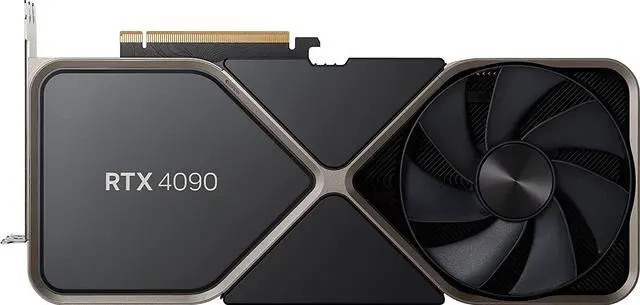
Buying a new graphics card can feel overwhelming. With dozens of models across two major manufacturers, confusing spec sheets, and prices ranging from under $300 to over $1,600, it's easy to overspend — or underbuy. This guide cuts through the noise and explains exactly what matters so you can make a confident, informed decision.
What to Look For
Your Target Resolution and Refresh Rate Before anything else, know what you're gaming at. Are you running a 1080p 60Hz monitor, a 1440p 165Hz display, or a 4K screen? This single factor should drive your entire GPU decision. Spending $1,600 on a flagship card for a 1080p monitor is wasteful; buying a budget card for a 4K panel will leave you frustrated.
VRAM (Video RAM) VRAM is the dedicated memory your GPU uses to store textures, frame buffers, and game assets. Modern AAA titles at high settings are increasingly demanding 10GB or more. As a rule of thumb: 8GB is acceptable for 1080p today but may feel limiting in 2–3 years; 12GB is a comfortable sweet spot for 1440p; 16GB+ or 24GB is ideal for 4K, content creation, and future-proofing.
Power Consumption (TDP) Every GPU has a Thermal Design Power rating — the amount of power it draws under load. This matters for two reasons: your power supply unit (PSU) must handle the load, and your electricity bill will reflect sustained usage. A 160W card is vastly different from a 450W card in both PSU requirements and long-term running costs.