How to Choose the Best Processor: CPU Buying Guide
Choosing a CPU depends on your use case — gaming, content creation, or everyday tasks. This guide breaks down specs, budgets, and top picks for 2024.
What to Look For
Choosing a CPU can feel overwhelming, especially if this is your first build or upgrade. The processor is the brain of your computer — it handles every instruction your software throws at it, from loading a web browser to rendering a 3D scene. Before you spend your money, it helps to understand what actually matters for your specific use case.
The single most important question to ask yourself is: what will I primarily use this PC for? Gaming, video editing, streaming, coding, and general productivity all have very different CPU requirements. A hardcore gamer and a professional video editor need completely different things from a processor, and buying the wrong one means either overspending or leaving performance on the table.
You should also think about your platform longevity. AMD's AM5 socket is designed to support future CPU generations, meaning an AM5 motherboard you buy today should accept next-generation Ryzen processors. Intel's LGA 1700 socket, used by the 13th and 14th Gen chips, is at the end of its roadmap — Intel is moving to a new platform. This matters if you plan to upgrade your CPU without replacing your entire motherboard.
Finally, consider your cooling and power situation. High-end CPUs can draw enormous amounts of power, which generates heat and requires robust cooling solutions. Some CPUs include a cooler in the box; others do not, adding to your total cost.
Key Specs Explained
Cores and Threads: A core is an independent processing unit. More cores allow your CPU to handle more tasks simultaneously. Threads are virtual processing pathways — most modern cores support two threads each (called hyperthreading or simultaneous multithreading). For gaming, 6–8 cores is typically sufficient. For video editing, 3D rendering, or heavy multitasking, 12–16+ cores make a meaningful difference.
Clock Speed (GHz): This measures how many cycles per second a CPU can execute. Higher clock speeds generally mean faster single-threaded performance, which matters a lot for gaming. Boost clocks represent the maximum speed a CPU can hit under short bursts of load.
Cache (L2 and L3): Cache is ultra-fast memory built directly onto the CPU die. It stores frequently accessed data so the processor doesn't have to wait for slower system RAM. L3 cache is especially important for gaming — AMD's 3D V-Cache technology stacks additional L3 cache onto the chip, dramatically improving frame rates in many games. The Ryzen 7 7800X3D's 96MB of L3 cache is a prime example of how impactful this can be.
TDP (Thermal Design Power): TDP indicates how much heat a CPU generates under typical load, measured in watts. A lower TDP means the chip runs cooler and is easier to cool. Be aware that Intel lists both a base power (PBP) and a maximum turbo power (MTP) — the i9-14900K, for example, can draw up to 253W at peak, which demands serious cooling.
Socket Compatibility: The socket is the physical slot on your motherboard where the CPU sits. AMD's AM5 uses an LGA 1718 pin layout. Intel's current platform uses LGA 1700. These are not interchangeable — always match your CPU to a compatible motherboard.
Memory Support: Modern CPUs support DDR5, which offers higher bandwidth than the older DDR4 standard. Some Intel chips still support both DDR4 and DDR5, giving you flexibility. AMD's Ryzen 7000 series requires DDR5 exclusively.
Price Ranges
Budget (Under $200): The AMD Ryzen 5 7600X sits comfortably in this tier and delivers excellent gaming and everyday performance. It includes a Wraith Stealth cooler, keeping your total build cost down. You're trading away core count and cache size, but for most users, you'll never notice.
Mid-Range ($200–$350): The AMD Ryzen 7 7800X3D occupies this sweet spot and arguably punches well above its price class. For gaming-focused builds, it's simply the best option available regardless of price bracket. The Intel Core i7-14700K also competes here, offering strong all-around performance with 20 cores for users who need more multithreaded muscle.
High-End ($400–$600+): The AMD Ryzen 9 7950X and Intel Core i9-14900K battle it out at the top. These are workstation-class chips designed for professionals who need maximum throughput for tasks like 4K video editing, 3D rendering, large code compilation, or running virtual machines. Expect to pay a premium for cooling solutions at this tier as well.
Our Recommendations
Best for Gaming: AMD Ryzen 7 7800X3D — This chip earns a perfect 10/10 and is our top overall recommendation. The 96MB of L3 cache via AMD's 3D V-Cache technology delivers frame rates that consistently beat even more expensive processors in gaming workloads. Its 120W TDP keeps thermals manageable, and the AM5 platform ensures your motherboard investment stays relevant for years. The only real drawbacks are limited overclocking headroom and the absence of an included cooler. If gaming is your priority, nothing else comes close at this price.
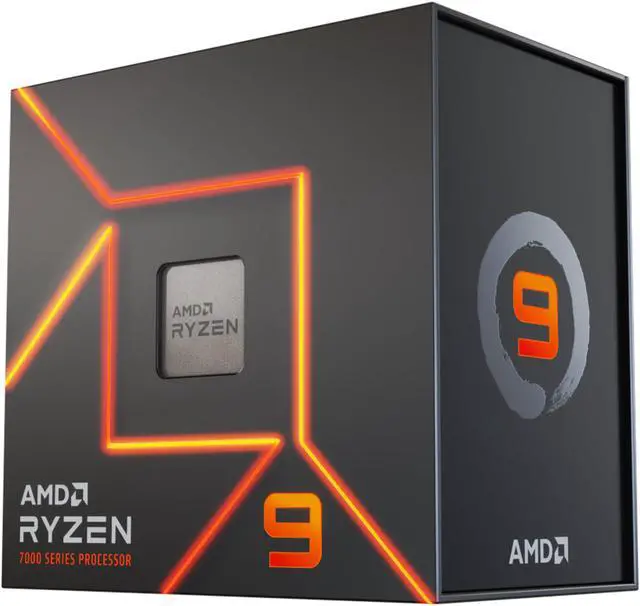
Best for Content Creation: AMD Ryzen 9 7950X — With 16 cores, 32 threads, and boost clocks reaching 5.7 GHz, the 7950X is a powerhouse for creators and professionals. It scores 9/10 and handles video editing, 3D rendering, and software development with ease. Yes, it runs hot and costs significantly more, but the performance headroom justifies the investment for serious workloads. It also benefits from the same AM5 platform longevity as the 7800X3D.
Best Budget Pick: AMD Ryzen 5 7600X — Scoring 8/10, the 7600X is the smartest buy for first-time builders on a budget. It delivers strong gaming performance, runs cool at 105W TDP, and comes with a bundled cooler — saving you extra money. The 6-core design limits heavy multitasking, but for everyday computing, streaming, and gaming, it covers all the bases without breaking the bank.
Best Intel All-Rounder: Intel Core i7-14700K — Also rated 8/10, the i7-14700K offers near i9-level multi-threaded performance at a lower price and with slightly less extreme power demands. Its 20-core hybrid architecture (8 performance cores + 12 efficiency cores) handles diverse workloads well. However, keep in mind that LGA 1700 is Intel's final generation on this socket, which limits future upgrade options compared to AMD's AM5.
Intel Flagship: Intel Core i9-14900K — Rated 8/10, the i9-14900K boasts a 6.0 GHz boost clock and 24 cores, making it a legitimate performance monster. It's best suited to users who need maximum overclocking headroom and the highest possible single-threaded speeds. The 253W maximum power draw is a real concern — budget for high-end cooling and a robust power supply. For pure gaming, the 7800X3D still wins despite costing less.